- Our registered Charity no. 1164762

The Opportunities and Threats of AI: Q&A with an Expert

Longest Jobs Downturn for Two Decades But We’re Here to Help
6 October 2026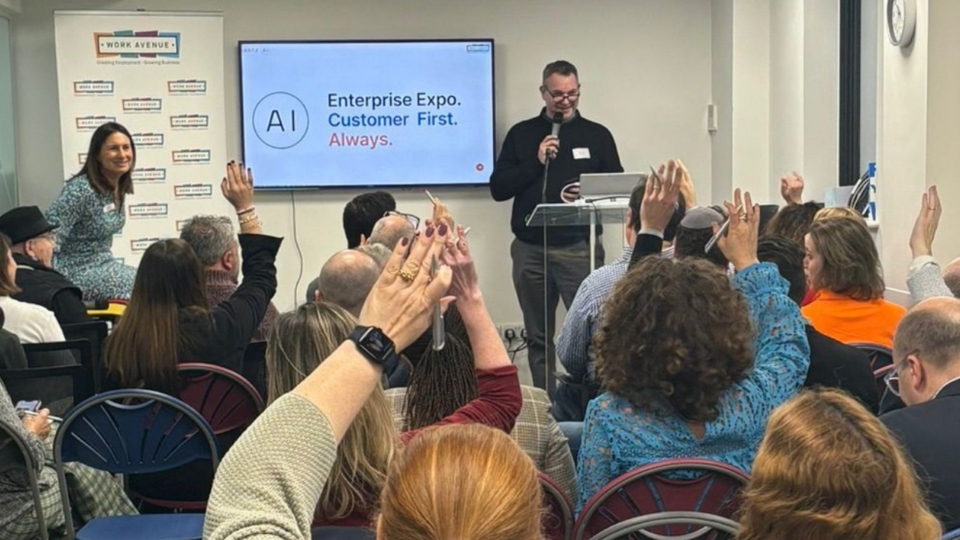
Whether you’re currently using it or not, there is no denying that artificial intelligence is rapidly reshaping the world of work and business.
AI offers exciting new possibilities, career paths and areas of business growth, but there are rightful worries around the fast pace of change and the technology taking away jobs.
To help make sense of it all, we sat down with WE Hub resident and Hartz AI founder Craig Hartzel to get his expert take in a quick Q&A.
Q: How do you think AI will impact people’s career paths and choices?
A: The most common question I get is whether AI is taking away jobs, and the answer is both yes and no.
It is scary for our kids. The traditional graduate recruitment schemes – for example young people coming into law or accountancy firms – are changing and in some places disappearing. There just isn’t going to be that opportunity for those 10,000 hours of graft to learn the trade.
But jobs have always evolved. We’ve seen throughout the decades that as technology improves and workplace practices change, new roles, openings, career choices and business opportunities appear.
My own company, Hartz AI, is a clear example. When my previous business was really struggling with rising costs, I used AI to turn things around. After Work Avenue invited me to run AI sessions for others to share what I’d learned, I realised the opportunity and created this growing AI consultancy and training business.
The best thing is to have a curious mind and see how you can make use of any opportunity.
Q: Most people reading this will already be using chatbots like Claude, Gemini and ChatGPT, but what other tools do you recommend?
A: One obvious big time-saver that many still aren’t taking advantage of is using AI to record meetings.
There are various apps like Fathom – plus Zoom and Google Meet have their own built-in tools on most paid plans – that are great for transcribing and summarising online conversations.
Another good one is Plaud. It is a piece of hardware you can take to face-to-face meetings and put on a table. It records and transcribes everything, and can produce minutes, summaries and action points. It can even be set to automatically email you the summary and action points, so you know exactly what to follow up on.
Of course, compliance is important. Everyone in the meeting needs to be aware it’s being recorded and if sensitive data is being discussed you may need to pause. And remember that the recording and transcript are stored on the provider’s servers, often outside the UK. If you’re using one of these tools for business, the law requires you to have a data processing agreement in place with the provider, setting out how they handle that data. Most reputable tools offer one, but it’s something a lot of companies miss. This is something everyone must do their own due diligence on.
Q: What lesser-known or advanced AI tools do you recommend to clients?
A: The next step is to use an agentic AI tool that can do all types of things. Instead of just answering questions like a chatbot, these AI agents can carry out complex, multi-step tasks autonomously on your behalf.
The one I use a lot, that not many people have heard of, is called Manus. It can do big jobs for you – such as research, analysis and creating documents and website code – while you get on with other things.
For more serious website and software builds, there are dedicated coding tools like Cursor. At Hartz AI we use a mix of Claude Code and OpenAI’s Codex, the coding versions of Claude and ChatGPT. As with any tool, check where your data is stored and processed before using it for client or sensitive work.
Another agentic AI tool I am using more often now is Claude in Chrome, which works inside your browser and can click, type and navigate websites for you. It’s available on Claude’s paid plans.
One example of what I’ve used it for is looking at what’s working for businesses in a similar area to mine – the kind of content they post and how people engage with it. I then put that insight into another AI tool to create my own content plan. From there, you can use Claude in Chrome to help create and schedule those posts on LinkedIn or Facebook. It does the legwork, and checks with you before anything is published. It’s also worth checking each platform’s terms on using automated tools.
Q: How can businesses use AI for design without it looking generic or like ‘AI slop’?
A: You can input design systems into Claude and we are actually launching our own AI design system service, working with a friend of mine who is a designer and has pivoted to this after seeing a real need among businesses to have strong AI designs and not the slop you see filling up social media.
A design system gives context to what the product does, who the personas are, the brand tone and voice, the colour palette, and the fonts, logos and icons used. Once you have that, you can type, “Create me a LinkedIn post,” and it will do it. It looks professional because you have spent the time pulling all that data in.When should someone use free AI tools versus upgrading to paid plans?
Q: When should someone use free AI tools versus upgrading to paid plans?
A: Free tiers are great to get you started or for basic work like proof-reading. But there are a number of reasons people may want to upgrade.
Firstly, you get what you pay for. Often the better, more capable models sit behind a paywall. Free versions may limit how much you can use them, the amount of information they can process in a conversation, and access to more advanced features.
Secondly, you need to think about compliance and data. Many personal accounts, free and paid, can use your chats to train the AI model unless you switch that off in the settings. Business plans generally don’t. So check your settings, read the terms and conditions, and make sure you and your employer or business are happy with them.
Q: What about people who want to use multiple chatbots, but have them work in the same context?
A: This is another common question and happily there is a simple answer.
I use both ChatGPT and Claude for different tasks. To avoid setting up the same context twice, I create a dedicated Google Drive folder containing all our background documents and project details.
By linking that same Drive folder to projects inside both Claude and ChatGPT, both tools can pull from the same documents, so I’m not uploading everything twice. You’ll need a paid plan for this.
Q: Finally, if people want further advice how can they get in touch?
A: We pride ourselves on cutting through the hype and noise around AI with hands-on training, honest consultancy and implementation that fits your needs and your business. Just visit our website www.hartzai.com to find out more and book a free 15-minute AI consultation.